
[selenium] element location css and xpath selectors
👀 This is only a "remind me" or for some of us perhaps a dicovery. We will tell about finding an element with a css element or a xpath element if it isn't possible to find a good way with css. ✅There are lots of methods in publiqa1/2 that actually don't need to use especially css or xpath.
selenium4 - find_element
from selenium.webdriver.common.by import By
driver.find_element(By.XPATH, '//button[text()="Some text"]')
driver.find_element(By.CSS_SELECTOR, "button#submit")
Css - onboarding
First of all, you have to know that you can test your css or xpath selector in the developer tool in chrome or firefox or other browsers. Have a look of the DOM with F12 and with STRG (or command) + f type your css selector code and look what the code matches.
- Let show the DOM with F12 after after clicking on Untersuchen (Find out) on the element you want to locate:
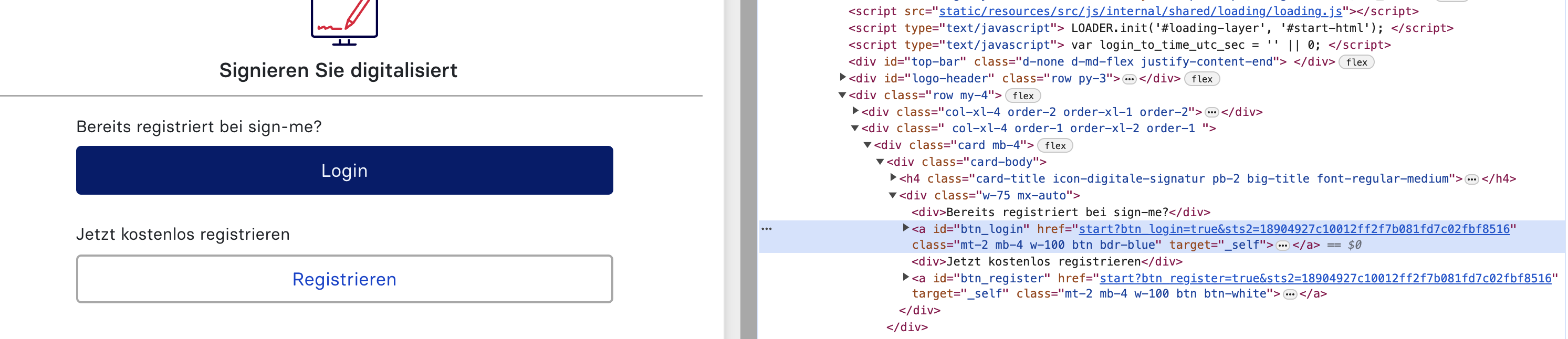
- Then try a selector for the element you want to locate in the field for matching:
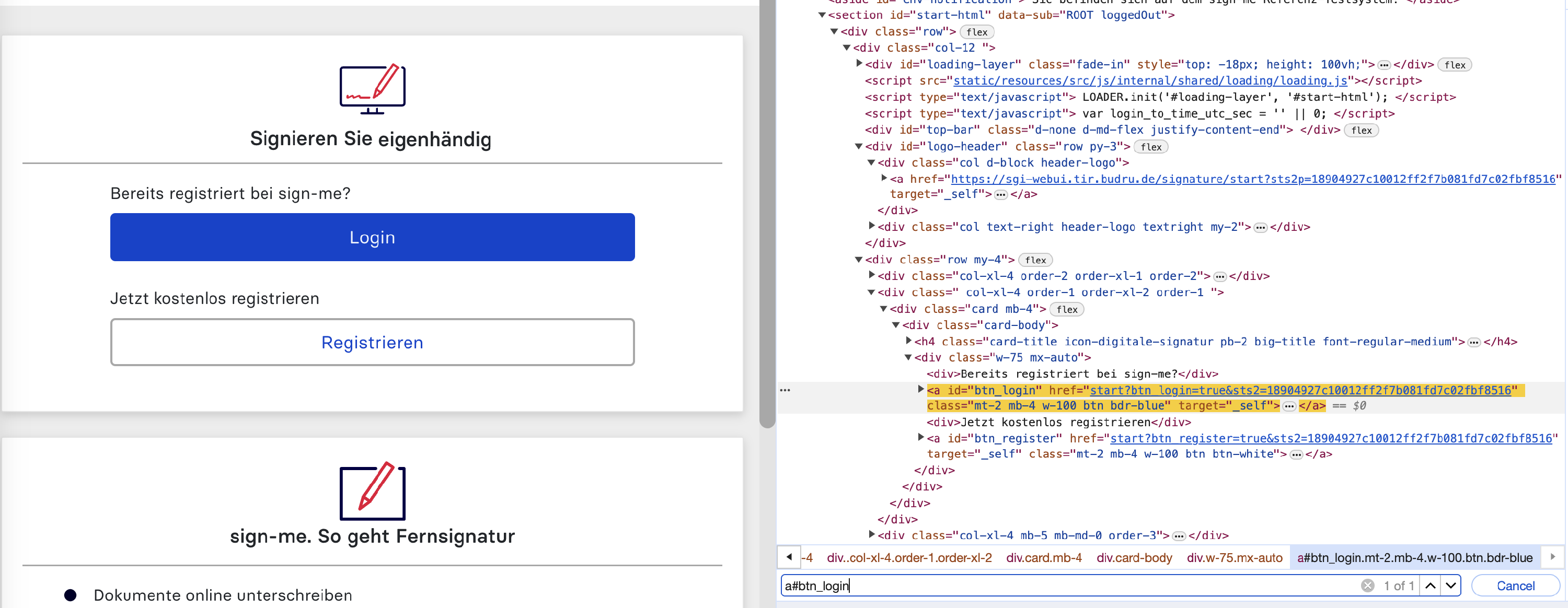
1 match! It looks good. Often good if your element located by a#btn_login is unique. However it should be a compromise between stability (your code code should continue to be correct in 1 year) and obviousness (even if the code is not from you, you know what the element could be on the page: a button thanks to btn, a link because of "a", login could be written on the button because of btn_login).
🤔 Do we need the "a"? not sure. In this special example, the id btn_login is enough. This button was in the past something like "button" (then button#btn_login) until a developer decided to change it into a "a". Too much information could be a problem in some cases.
Css selector tips
<class="blabla">                .blabla
<id="blabla">                   #blabla
<href="blabla">                 [href=blabla]

<id="123abc456">                #123abc456 or [id*=abc] or [id^=456] or [id$=123]

<div href="blabla1">
   <button id="blabla2">        div[href=blabla1]>button#blabla2

<div href="blabla1">
   <button id="blabla1">
   <button id="blabla2">        div[href=blabla1] button#blabla2.        or
                                div[href=blabla1] button:nth-child(2)
:nth-child(i) could be very inetersting for the for loops. In this way, there are :last-child and :first-child
Don't forget that you can combine the selectors like :
button[id*=abc][id^=456].empty_element[class*=helio][href='/pierre']:nth-child(2)
:not() very important to avoid some elements and having at the end a unique element. Ex. a.wrap:not(href*=/signme) : all the a elements having as class wrap but with a href containing the word /signme
+ could be interesting but is instable because we are jumping a parent element. But it happens that the previous parent element gives very important information to the css (obviousness).
There are other css selector tips but perhaps not as relevant as the previous ones:
here some url of cheat sheet:
- https://www.browserstack.com/guide/css-selectors-in-selenium
- https://selenium-python.readthedocs.io/locating-elements.html
- https://ghostinspector.com/blog/css-selector-strategies-automated-browser-testing/
- https://www.freecodecamp.org/news/css-selectors-cheat-sheet/
Xpath selector tips
👀 CSS Selectors are faster in comparison with XPath. These selectors are more readable and easier to learn. CSS selectors are compatible with all modern browsers. It works across devices and responsive screens. Dixit : https://testsigma.com/blog/xpath-vs-css-selector/
However there is one possibility you don't have with css: find an element via its text like:
Xpath=//*[contains(text(),'here')]
for more information : https://www.guru99.com/xpath-selenium.html#:~:text=The%20XPath%20text()%20function,should%20be%20in%20string%20form.